Borderlands 4 Performance Reality Check: How to Prepare for Launch
- 8 Sep 2025
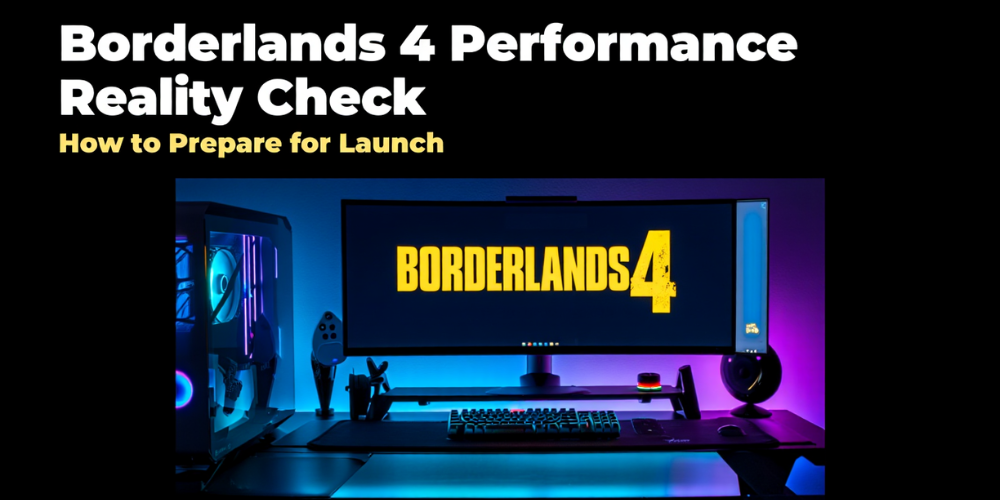
Borderlands 4 is a big, streaming‑heavy, open AAA game, and the performance spread will scale with your hardware. That’s normal for a modern looter‑shooter with large zones, dense effects, and co‑op. You should expect launch‑week variability: day‑one patches, new GPU drivers, and a couple of hotfixes as player data rolls in. Plan for 60 fps on mid‑to‑high hardware at 1080p/1440p with the right settings and an upscaler, and for 30–45 fps on older rigs unless you’re willing to cut image quality. 4K native will be a stretch without flagship GPUs; use DLSS/FSR/XeSS to keep latency low and frames high. The most important mindset: lock in stability first, then nudge visuals up. A consistent 55–60 with clean frametimes will feel better than a spiky 70.
PC prep before launch pays off. Update your GPU drivers (Game Ready/Adrenalin), install OS updates, and free fast SSD space—this kind of game streams assets constantly and dislikes HDDs. Enable a high‑performance power plan, set your GPU to “Prefer maximum performance” for the game profile, and cap background apps (overlays, recorders, RGB suites) to avoid hitching. Verify Visual C++/DirectX runtimes, toggle Resizeable BAR on supported systems, and check thermals so you’re not throttling under load. If the game offers shader precompilation, let it finish before you jump in. Keep a monitoring overlay handy (frametime graph, CPU/GPU/VRAM use) so you tune based on data, not vibes.
Dial these settings first, in order. 1) Upscaler: pick DLSS/FSR/XeSS Quality (or Balanced at higher resolutions); enable frame generation if offered and it feels responsive with your reflex limiter on. 2) Texture quality: set to match VRAM headroom; paging VRAM causes stutter. 3) Shadows and volumetrics: these are big GPU hogs—drop one step if you’re short of 60. 4) View distance/crowd density: primarily CPU‑bound—reduce if towns and big fights stutter even when GPU has headroom. 5) Ambient occlusion/global illumination: medium often looks close to ultra for a big performance win. 6) Screen‑space reflections and motion blur: SSR high costs; consider medium or off; disable heavy blur and grain for clarity. Finish with a frame cap (e.g., 60/90) to smooth frametimes and enable V‑Sync off + VRR on, or in‑engine V‑Sync if you lack VRR.
On consoles, favor the performance mode for co‑op and busy areas; it typically targets 60 fps with dynamic resolution. If your TV supports VRR, enable it—micro dips feel far smoother. Turn down motion blur and film grain, and keep the game on internal SSD storage. Couch co‑op (especially split‑screen) increases CPU/GPU load—stick to performance mode and expect the game to trim resolution to protect framerate. If a 120 Hz option exists, it usually pairs with a lower resolution; try it only if you value feel over pixels. As always, patch up before playing—console hotfixes often land within the first week.
Launch‑week troubleshooting is predictable: shader stutter on first entry to new areas, asset streaming hitches, and network wobble in four‑player sessions. Give the game a minute to build caches, revisit problem spots after the first pass, and keep motion reprojection features off in overlays. If frametimes look spiky on Windows, test HAGS on/off and disable MPO in your driver as a last resort; recheck after patches. For older PCs, be realistic: aim 1080p, Quality upscaler, medium presets, and trimmed shadows/volumetrics. For high‑end rigs at 1440p/4K, let the upscaler do the heavy lifting and prioritize frametime stability over raw FPS. Do this, and you’ll spend launch weekend looting, not tweaking.
Latest Articles
-
Digital Court Legends: A Modern Ode to Streetball
The experience of playing NBA The Run unfolds much like an afternoon of impromptu street basketball with friends. From the sheer thrill of sinking an unexpected basket to the camaraderie, the game captures the pulse of real life courts while forging its own digital legacy. Every match pulses with energy and creativity, blending nostalgic streetball memories with refined digital artistry. Players step into a realm where each dribble, shot, and pass is a testament to both individual flair and team synergy. The game invites enthusiasts to relive the personal triumphs and collective challenges of competitive basketball, all wrapped in a...
- Steve Nielsen
- 5 Jul 2026
-
Jodie Foster Unmasks the Formula: A Critical Look at the Film's Mechanical Narrative
The conversation around the recent Formula 1 film has taken an unexpected turn following a candid commentary by Jodie Foster. Her remarks, delivered during an industry event about the evolving business of cinema, suggest that the film’s style and delivery seem almost mechanical in nature.
Foster expressed her view that the movie adheres to a formulaic structure, one that could easily be compared to lessons learned in a classroom setting. She noted that every aspect—from the scripted dialogue to the predictable performances—mirrors what one might expect if the creative process were entirely dictated by artificial precision. According to her perspective, the...

- Lillian Young
- 5 Jul 2026
-
Capcom’s World Stage: Charting the Global Road to Street Fighter 6 Domination
The recent conclusion of a major tournament has "Pave the way for an exhilarating phase in" competitive Street Fighter 6 events. The latest announcements have brought attention to upcoming tournaments that will spotlight top players from around the world.
After Evo 2026 wrapped up over the weekend, There's growing excitement in anticipation of the upcoming event in Paris, France this summer. The Esports World Cup is scheduled for July and August, promising dynamic matchups in Capcom's latest fighting series. In addition, an event in November will further showcase an SF6 competition organized by the Esports Foundation.
At this point, 12 of the...
- Joshua Nelson
- 5 Jul 2026