Maximize Your iPad Pro Experience: Essential User Tips for 2023
- 15 Dec 2023
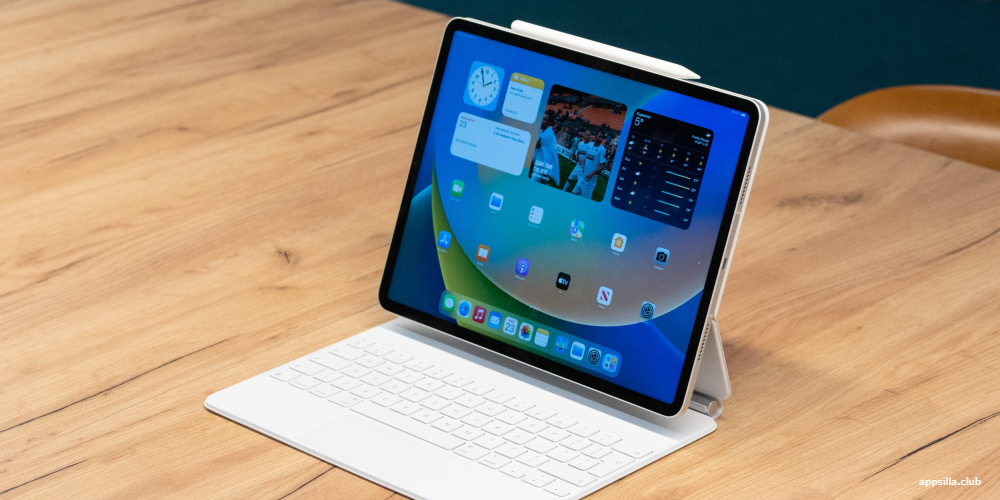
The iPad Pro stands as a formidable fusion of a tablet’s portability and a laptop’s versatility. For those looking to harness its full potential, whether it's for work, creative endeavors, or leisure, here’s a set of ten valuable tips to elevate your iPad Pro usage in 2023:
Enhance Productivity with Keyboard and Mouse
Amplify your iPad Pro’s utility by pairing it with a Bluetooth keyboard and mouse. This transforms your device into a more conventional computer setup. You can easily pair your devices under Settings > Bluetooth.
Efficiently Move Text Across Apps
Thanks to the iPad Pro's multitasking prowess, transferring text between applications is a breeze. Select the text, press and hold it, then drag it to your app of choice, simplifying the sharing process without the headache of copy-pasting.
Streamline Your Home Screen with App Library
De-clutter your home by using the App Library feature from iOS 14. By swiping to your home screen’s far right, you'll auto-sort your apps into categories, which helps in maintaining an organized interface and locating apps swiftly.
Unleash the Power of Apple Pencil
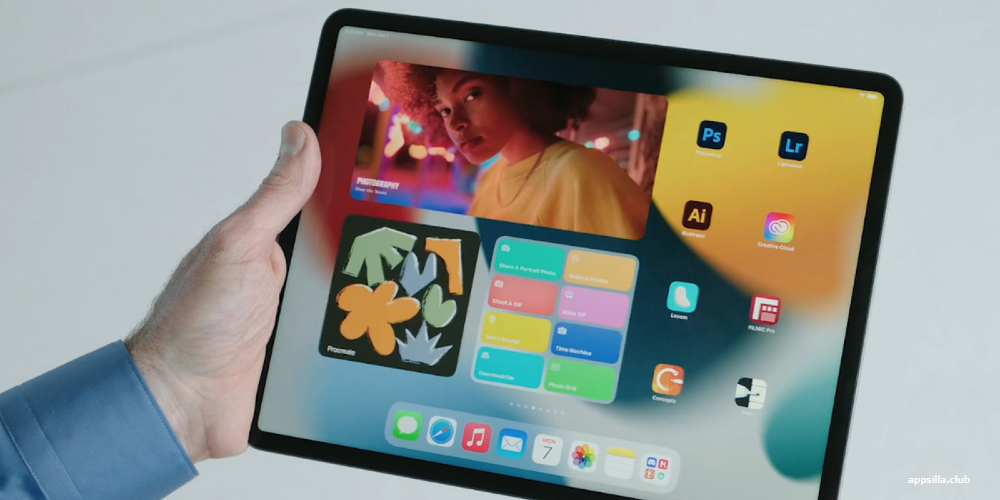
Owners of the Apple Pencil can unlock its myriad of capabilities. This tool is not just for sketching and writing notes but also includes intuitive gestures like a double-tap to switch tools swiftly.
Widgets for the Win
Widgets offer a summary of information and quick app access. Personalize your home screen by adding widgets to it. Tap the Edit button and choose from various widgets to enhance your organizational efficiency.
Embrace the Ease of Quick Notes
Need to scribble something down in haste? Quick Notes lets you do just that. With a simple swipe from the bottom-right corner using the Apple Pencil or your finger, you can capture your thoughts instantaneously.
Double Your Display with Sidecar
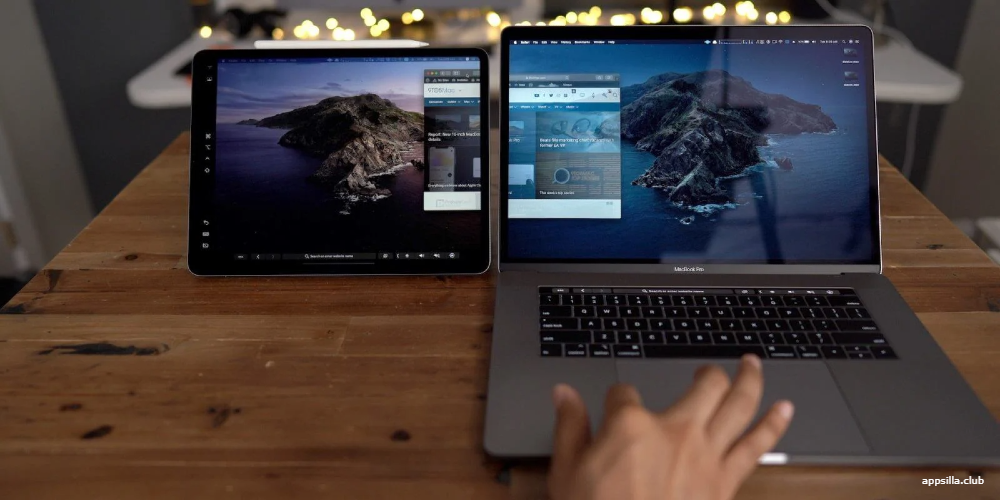
Use your iPad Pro as a secondary display for your Mac with Sidecar. This feature comes in handy when multitasking or in need of additional screen space. Activate it via the System Preferences on your Mac.
Personalize Safari with Extensions
Customize your web surfing experience on Safari with the addition of extensions available in iPadOS 15. Enhance your productivity and safeguard your privacy with tools like ad blockers and password managers. Manage these under Settings > Safari > Extensions.
Lock Screens, Stage Manager, and Health Insights
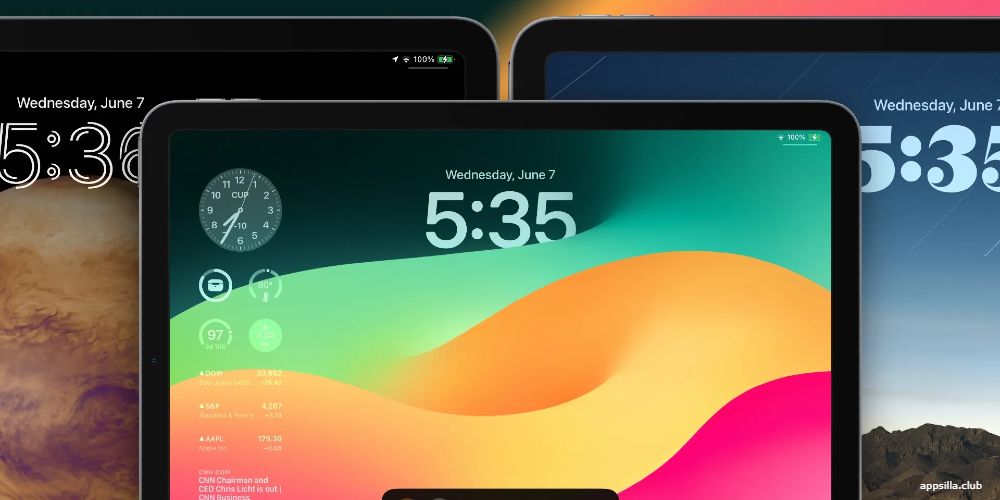
Transforming your iPad Lock Screen has never been easier. Begin by pressing and holding on the Lock Screen, then tap the "+" sign to craft a distinctive display. You'll find a spectrum of choices ranging from solid hues to a collection of your own photos.
For those who wish to maintain uniformity across their device, simply select "Add" and then "Set as Wallpaper Pair" to extend your chosen wallpaper to every corner of your iPad. On the flip side, if a more tailored or subdued Home Screen is your preference, opt for "Customize Home Screen" to forge a special design.
Enhancing your Lock Screen further, you can add widgets for at-a-glance information. Press and hold an existing Lock Screen in the selection view, then hit "Customize." Above the clock area, tap to bring widgets into play. With landscape mode, you can introduce even more widgets into the sidebar, whereas portrait mode allows for specific widgets tailored to that view.
The updated Stage Manager on iPad now delivers an even smoother experience when it comes to adjusting window sizes, thanks to a refined grid. Additionally, in a nod to Mac functionality, you can shift-click on an app within the Dock to transition it seamlessly into your current Stage Manager workspace.
When attached to an external display, the Stage Manager's utility grows, particularly for video calls. With a connected external camera, such as one from a Studio Display, apps like FaceTime now automatically make use of this superior hardware, ensuring your calls are crystal clear.
Your overall wellbeing deserves as much attention as your productivity. The new Health app on iPad, syncing seamlessly with your data, provides a comprehensive look at your health metrics. Notifications of sync actions appear on your iPhone, and you can later tweak the settings via the iCloud and Health pathway. On the larger screen of the iPad, health overviews become significantly more insightful.
The recent updates to iPadOS and iOS are not just about functionality—they also focus on personal wellness. Within the Health app, engage with a questionnaire and track your mood to construct a visual representation of your mental state. The broad display of the iPad is exceptionally suited for these new wellbeing features, ensuring that you can keep a detailed and easily navigable record of your emotional health.
Fast Searches with Spotlight
Spotlight is your go-to for quick searches on your iPad Pro. Swipe down on the Home Screen to reveal the search bar and access a wide range of search options. Paired with intelligent Siri Suggestions, Spotlight is your gateway to finding what you need with ease.
In conclusion, the allure of inexpensive counterfeit products can be strong, but the risks associated with fake Apple accessories outweigh their cost-savings. These knockoffs can damage your device and pose significant safety hazards—think overheating or even fire risks. For peace of mind, always buy genuine Apple products or those from Apple-certified vendors and suppliers.
Latest Articles
-
Digital Court Legends: A Modern Ode to Streetball
The experience of playing NBA The Run unfolds much like an afternoon of impromptu street basketball with friends. From the sheer thrill of sinking an unexpected basket to the camaraderie, the game captures the pulse of real life courts while forging its own digital legacy. Every match pulses with energy and creativity, blending nostalgic streetball memories with refined digital artistry. Players step into a realm where each dribble, shot, and pass is a testament to both individual flair and team synergy. The game invites enthusiasts to relive the personal triumphs and collective challenges of competitive basketball, all wrapped in a...

- Steve Nielsen
- 5 Jul 2026
-
Jodie Foster Unmasks the Formula: A Critical Look at the Film's Mechanical Narrative
The conversation around the recent Formula 1 film has taken an unexpected turn following a candid commentary by Jodie Foster. Her remarks, delivered during an industry event about the evolving business of cinema, suggest that the film’s style and delivery seem almost mechanical in nature.
Foster expressed her view that the movie adheres to a formulaic structure, one that could easily be compared to lessons learned in a classroom setting. She noted that every aspect—from the scripted dialogue to the predictable performances—mirrors what one might expect if the creative process were entirely dictated by artificial precision. According to her perspective, the...

- Lillian Young
- 5 Jul 2026
-
Capcom’s World Stage: Charting the Global Road to Street Fighter 6 Domination
The recent conclusion of a major tournament has "Pave the way for an exhilarating phase in" competitive Street Fighter 6 events. The latest announcements have brought attention to upcoming tournaments that will spotlight top players from around the world.
After Evo 2026 wrapped up over the weekend, There's growing excitement in anticipation of the upcoming event in Paris, France this summer. The Esports World Cup is scheduled for July and August, promising dynamic matchups in Capcom's latest fighting series. In addition, an event in November will further showcase an SF6 competition organized by the Esports Foundation.
At this point, 12 of the...

- Joshua Nelson
- 5 Jul 2026