8 Ways to Improve the Accuracy of Your GPS Location on Android
- 1 Nov 2022
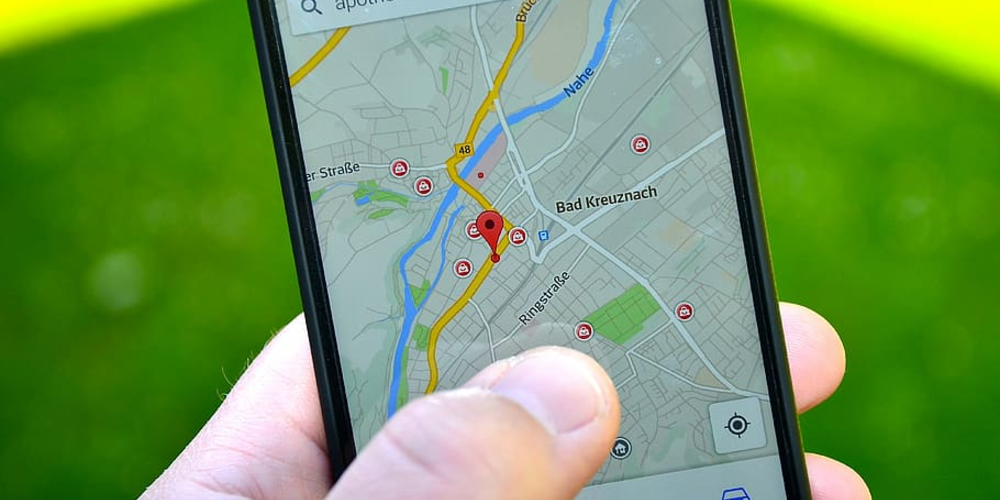
GPS location accuracy on Android devices can be improved in several ways. By enabling high-accuracy mode, updating the GPS location, using a GPS logging app, and clearing the cache, you can improve your GPS location accuracy.
High-Accuracy Mode
One way to improve your GPS location accuracy on Android devices is to enable high-accuracy mode. High-accuracy mode uses GPS, Wi-Fi, and cellular networks to pinpoint your location. To enable high-accuracy mode, go to Settings > Location > Mode and select High accuracy.
Updating the GPS Location
If you want to improve your GPS location accuracy on Android devices, you should update the GPS location. You can update the GPS location by going to Settings > Location > Mode and selecting High accuracy. Once you’ve updated the GPS location, you can check the accuracy by going to Settings > Location > Accuracy.
GPS Logging App
Another way to improve your GPS location accuracy on Android devices is to use a GPS logging app. GPS logging apps track your location and can help you improve your GPS accuracy. Some GPS logging apps also allow you to share your location with others.
Clearing the Cache
If you want to improve your GPS location accuracy on Android devices, you should clear the cache. The cache is a temporary storage area where data is stored. When you clear the cache, you remove the data that is stored in the cache. To clear the cache, go to Settings > Application Manager > All > Google Play Services > Storage > Clear Cache.
Use A-GPS
A-GPS, or Assisted GPS, is a feature on some Android devices that can help improve GPS location accuracy. A-GPS uses data from cell towers and WiFi networks to help triangulate your position. This can be helpful if you’re in an area with a weak GPS signal.
Check for Mock Locations
Mock locations is a developer feature that allows you to test GPS-based apps without actually moving. If you have mock locations enabled, it can cause your GPS to give inaccurate results. To check if you have mock locations enabled, go to Settings > Developer options and look for the “Allow mock locations” option.
Use a GPS Status App
There are a number of GPS status apps available on the Play Store that can help you diagnose and fix GPS problems. These apps can show you your current GPS coordinates, satellite information, and signal strength. They can also help you troubleshoot issues like a weak GPS signal or battery drain.
Use a GPS Signal Booster
If you live in an area with a weak GPS signal, you may want to consider using a GPS signal booster. A signal booster can amplify the signal from the satellites and help improve location accuracy.
Conclusion
GPS is a great tool, but it’s not perfect. If you’re having trouble with GPS on your Android device, try using A-GPS, checking for mock locations, using a GPS status app, or using a GPS signal booster.
Latest Articles
-
Digital Court Legends: A Modern Ode to Streetball
The experience of playing NBA The Run unfolds much like an afternoon of impromptu street basketball with friends. From the sheer thrill of sinking an unexpected basket to the camaraderie, the game captures the pulse of real life courts while forging its own digital legacy. Every match pulses with energy and creativity, blending nostalgic streetball memories with refined digital artistry. Players step into a realm where each dribble, shot, and pass is a testament to both individual flair and team synergy. The game invites enthusiasts to relive the personal triumphs and collective challenges of competitive basketball, all wrapped in a...

- Steve Nielsen
- 5 Jul 2026
-
Jodie Foster Unmasks the Formula: A Critical Look at the Film's Mechanical Narrative
The conversation around the recent Formula 1 film has taken an unexpected turn following a candid commentary by Jodie Foster. Her remarks, delivered during an industry event about the evolving business of cinema, suggest that the film’s style and delivery seem almost mechanical in nature.
Foster expressed her view that the movie adheres to a formulaic structure, one that could easily be compared to lessons learned in a classroom setting. She noted that every aspect—from the scripted dialogue to the predictable performances—mirrors what one might expect if the creative process were entirely dictated by artificial precision. According to her perspective, the...

- Lillian Young
- 5 Jul 2026
-
Capcom’s World Stage: Charting the Global Road to Street Fighter 6 Domination
The recent conclusion of a major tournament has "Pave the way for an exhilarating phase in" competitive Street Fighter 6 events. The latest announcements have brought attention to upcoming tournaments that will spotlight top players from around the world.
After Evo 2026 wrapped up over the weekend, There's growing excitement in anticipation of the upcoming event in Paris, France this summer. The Esports World Cup is scheduled for July and August, promising dynamic matchups in Capcom's latest fighting series. In addition, an event in November will further showcase an SF6 competition organized by the Esports Foundation.
At this point, 12 of the...

- Joshua Nelson
- 5 Jul 2026